
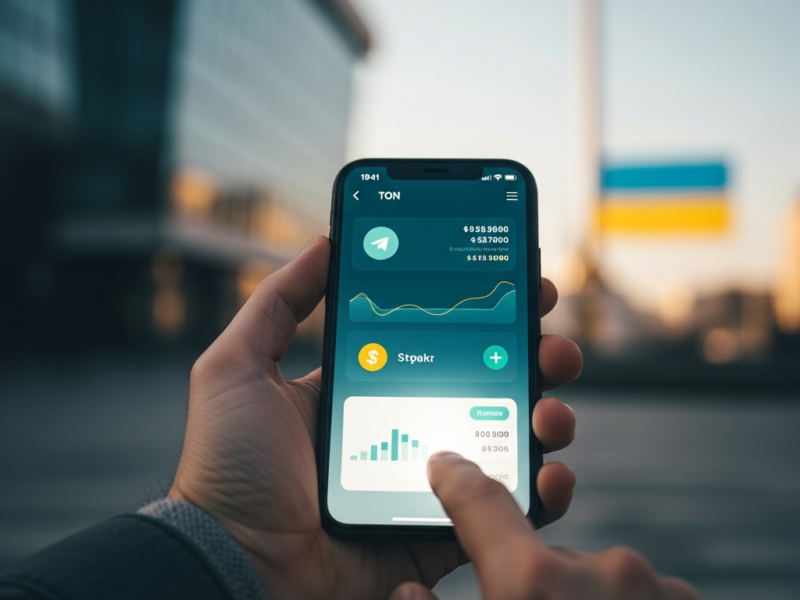
TON wallet in Telegram: how to use it in Ukraine
Telegram has long grown beyond a simple messenger. With the addition of built-in crypto functionality, millions of users can now store, send, and receive digital assets directly in the app interface. The topic “TON wallet in Telegram: how to use it in Ukraine” is becoming increasingly relevant as more Ukrainians look for fast, low-cost crypto transfers without complex exchange registration. This article covers the full cycle of operations: from creating a wallet to withdrawing funds to a bank card.
This is general information and not financial advice.
TON (The Open Network) is a blockchain network originally developed by the Telegram team and later advanced by an independent community. The network is notable for high throughput and low fees, making it convenient for everyday transfers. A Telegram wallet in Ukraine is available to anyone who has updated the app to the latest version.
The network’s native token — TON — is used to pay fees, as a transfer medium between users, and as fuel for decentralized applications (DApps).
TL;DR
- The TON wallet is available directly in the Telegram interface without additional apps.
- You can top up your balance via centralized exchanges, P2P platforms, or local exchangers for hryvnia.
- How to withdraw TON in Ukraine: it’s possible to convert to a bank card through an exchange with KYC or via P2P deal.
- The seed phrase is the only way to recover access; losing it means irreversible loss of funds.
- Always perform a small test transfer before a large transaction.
- The regulatory environment in Ukraine is gradually taking shape; keep records of your transactions.
Find a Secure Crypto ExchangeChoose a trusted crypto exchanger in your city
What TON is and how it works in Telegram
TON is a standalone blockchain network with its own consensus, smart contracts, and app ecosystem. Integration with Telegram is implemented via the built-in “Wallet” section and official third-party bots.
The main distinction is the key storage model. A non-custodial wallet gives control of private keys directly to the owner: only you have the seed phrase and only you control the funds. A custodial service stores keys on the platform’s side — more convenient, but riskier.
Custodial vs non-custodial
| Parameter | Non-custodial | Custodial |
|---|---|---|
| Key control | User | Platform |
| Access recovery | Seed phrase | Support service |
| Risk of blocking | None | Possible |
| Responsibility for security | Entirely on the owner | Partly on the platform |
| Convenience for a beginner | Medium | High |
| Examples | TON Space | Exchange account |
If you work with small amounts and value simplicity, a custodial option might suit you at the start. For full control over assets, choose a non-custodial solution.
What you need before getting started
Preparation takes a few minutes but prevents common problems.
- Update Telegram to the latest version via the official store (App Store, Google Play, or telegram.org).
- Make sure you have a strong password on your Telegram account and that two-factor authentication (2FA) is enabled.
- Prepare a physical medium to record your seed phrase: paper, a metal plate — not electronic notes or screenshots.
- Determine your goal: storage, transfers between contacts, or interacting with DApps — this affects the wallet type you choose.
- If you plan to withdraw to fiat, choose an exchange or P2P platform in advance and complete verification (KYC).
When to choose this approach: if you need to quickly send and receive cryptocurrency without installing separate apps.
How to create a TON wallet in Telegram — step by step
Creation takes less than two minutes. Each step is critically important for future security.
- Open Telegram and go to the “Wallet” section through settings or by searching for the official bot.
- Click “Create wallet.” The system will generate a unique address and a 24-word seed phrase.
- Write the seed phrase on a physical medium. Make at least two copies and store them in different places.
- Confirm the phrase by entering the requested words in the correct order.
- After confirmation the wallet is active — you will see your public address and a QR code.
- Make a test transfer of a minimal amount to this address from another source to ensure everything works.
Never share your seed phrase with anyone, even if someone claims to be Telegram or TON support.
How to fund the wallet in Ukraine
There are several ways to convert hryvnia to TON and credit tokens to your Telegram wallet.
Via a centralized exchange
Register and complete KYC on an exchange that supports TON. Top up your exchange account with hryvnia via bank transfer or card. Buy TON and withdraw it to your Telegram wallet address, making sure to select the correct network (TON). Do a test transaction before a large withdrawal.
Via a P2P platform
P2P services let you buy TON directly from another user with payment to a Ukrainian card. The platform’s escrow holds the tokens until payment is confirmed. Pay attention to the counterparty’s rating and number of completed trades.
Via a local exchanger
Some Ukrainian exchange services accept UAH (card, cash) and send TON to the specified address. Check reviews and reserve availability on monitoring aggregators.
| Method | Speed | KYC | Fee | Risk |
|---|---|---|---|---|
| Exchange (CEX) | 10–30 min | Yes | Low | Low |
| P2P platform | 5–30 min | Depends | Medium | Medium |
| Local exchanger | 5–15 min | Usually no | Higher | Higher |
How to withdraw TON in Ukraine
You can withdraw TON in Ukraine via several routes, each with its own specifics and requirements.
Via an exchange to a bank card
Send TON from your Telegram wallet to the exchange deposit address. Make sure the correct network is selected and fill in the memo/tag field if the exchange requires it. After the deposit is credited, sell TON for hryvnia or a stablecoin. Withdraw fiat to a Ukrainian bank card. KYC is mandatory for fiat operations on most platforms.
Via a P2P deal
Create a sell listing for TON or choose a buyer from existing offers. Provide card details for Monobank, PrivatBank, or another bank. Release the tokens from escrow after payment confirmation.
Via a local exchanger
Choose an exchanger with good reviews on an aggregator. Enter the TON amount, the address to send from, and the bank card details for receiving hryvnia. Follow the instructions and keep confirmations.
Tip: for large amounts split the transfer into several parts to reduce risk.
How it works in practice
A typical scenario for a Ukrainian user who wants to receive TON and later convert to hryvnia:
- Update Telegram and create a wallet, recording the seed phrase.
- Register on an exchange, complete KYC, top up the account with hryvnia.
- Buy TON on the exchange at market or limit order.
- Transfer TON to the Telegram wallet address (test first, then main).
- Use the tokens: send to contacts, pay for services via bots, interact with DApps.
- When you need hryvnia: transfer TON back to the exchange, sell, withdraw to a card.
- Keep transaction history and receipts for your records.
- Regularly check security: 2FA active, seed stored safely, app updated.
Using TON in Telegram: payments, bots, DApps
A Telegram wallet with crypto opens access to an ecosystem of decentralized services.
Sending TON to another user is done by entering an address, scanning a QR code, or selecting a contact. Network fees are minimal and transactions confirm within seconds.
Swap bots let you trade TON for other ecosystem tokens. Marketplaces and gaming platforms accept TON payments. Subscription and donation services integrate directly with the wallet.
Before interacting with any bot, check its @username, follower count, and mentions in official TON community channels. Fake bots are a major vector for theft.
Advantages and limitations
Embedding a blockchain in a popular messenger is convenient but not flawless.
Advantages:
- No separate app is required — everything is in Telegram.
- Low fees and high transaction speed on the TON network.
- Convenience of P2P transfers between contacts.
- Growing ecosystem of DApps, bots, and mini-apps.
Limitations:
- Tying functionality to a single messenger creates dependence on Telegram’s decisions.
- Non-custodial storage requires discipline in handling the seed phrase.
- TON liquidity on the local market lags behind Bitcoin or USDT — large volumes may cause slippage.
- Regulatory uncertainty: rules for taxation of crypto assets in Ukraine are still being developed.
A counterintuitive point: a simple interface can create a false sense of total security, while responsibility for protecting funds rests entirely with the owner.
Common mistakes
Sending TON without a test transaction. Even one mistake in the address leads to irreversible loss. Always check the first and last characters of an address.
Storing the seed phrase in cloud notes or screenshots. Any cloud leak gives an attacker full access to the wallet.
Ignoring the memo/tag field when depositing to an exchange. Without the correct memo, funds can end up on the exchange’s shared hot wallet, and recovery may require lengthy support communication.
Trusting “free airdrops” and offers to “double your TON.” These are classic scams without exceptions.
Not enabling two-factor authentication in Telegram. Without 2FA, an attacker who gets the victim’s SIM card can take over the account.
Withdrawing a large amount in a single transfer without checking exchange or exchanger limits. The transaction may get stuck or trigger additional verification.
Interacting with unknown bots that ask for a seed phrase or private key. No legitimate service will ever request this information.
Key terms
TON (The Open Network) — a blockchain network with its own native token, integrated with Telegram. Used for transfers, paying fees, and running smart contracts.
Seed phrase — a 24-word set that grants full control over a wallet. The only way to recover access if you lose your device.
Non-custodial wallet — a wallet where private keys are held only by the owner. The platform has no access to the funds.
KYC (Know Your Customer) — identity verification procedure required by exchanges and financial platforms to work with fiat.
P2P trading — direct buying and selling of cryptocurrency between two people without an intermediary, usually using the platform’s escrow mechanism.
DApps (decentralized applications) — applications that run on blockchain smart contracts without a single central server.
Slippage — the difference between the expected and actual execution price of an order, occurring with low liquidity or large order sizes.
Block explorer — an online tool to check transaction status, addresses, and blocks on the TON network.
2FA (two-factor authentication) — an additional account security layer that requires confirmation via a separate code or app.
Additional questions
Is a TON wallet in Telegram legal in Ukraine?
Using crypto wallets in Ukraine is not prohibited. The regulatory environment is still forming: the law on virtual assets has been adopted, but secondary regulations are still being developed. It is advisable to consult a lawyer before large transactions.
Do I need to pay taxes on crypto operations?
Yes, income from cryptoasset operations is subject to taxation under current law. Keep transaction history and purchase/sale confirmations for reporting.
What if a transaction doesn’t arrive?
Check the status in a TON block explorer using the transaction hash. If the transaction is confirmed by the network but not reflected on the exchange, contact the exchange support with the hash and a screenshot.
Can I restore the wallet on another device?
Yes, using the seed phrase. Install Telegram or a compatible wallet on the new device and use the restore function.
What are the fees for transferring TON?
Network fees on TON are usually minimal. Additional fees may be charged by exchanges or exchangers when withdrawing. Check the exact amount before confirming each operation.
Is it safe to keep large amounts in a Telegram wallet?
For large sums it is recommended to use a hardware wallet or a separate non-custodial wallet with enhanced security. The Telegram wallet is optimal for everyday operations with moderate amounts.
What to do if you suspect phishing or theft?
Immediately move funds to a new address with a different seed phrase. Do not follow suspicious links. Report to official Telegram support and block the suspicious contact.
Do all wallet features work without KYC?
Sending and receiving TON within Telegram does not require KYC. Verification becomes necessary when withdrawing to fiat via an exchange or when working with large amounts on P2P platforms.
How to verify that a bot in Telegram is official?
Match the bot’s @username with information on the official TON website or in verified community channels. Official bots have a verification badge and a large number of followers.