
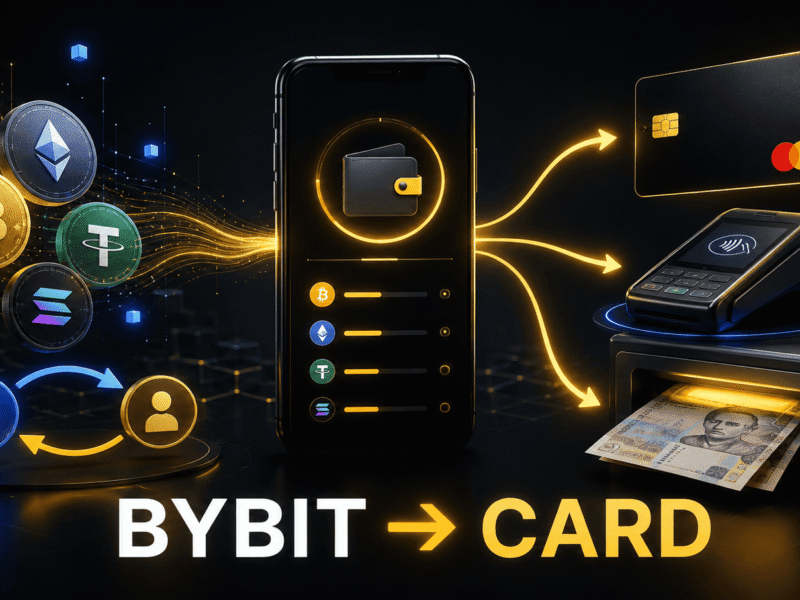
There are several ways to withdraw money from Bybit to a Ukrainian bank card. The most popular option is to sell USDT through P2P and receive hryvnias on a monobank, PrivatBank, or another Ukrainian bank card. Alternatively, you can send cryptocurrency to an online crypto exchange service, which will transfer UAH to the banking details you provide. If you already have a Bybit Card or are eligible to apply for one, you can spend your crypto balance directly and, under certain conditions, withdraw cash.
Short answer: if you need hryvnias deposited specifically to a Ukrainian bank card, P2P is usually the preferred method. A crypto exchange service may be easier for users who do not want to select a counterparty and manage every stage of a P2P transaction themselves. Bybit Card is a separate option: the money is not deposited to a monobank or PrivatBank card. Instead, you pay directly from your Bybit balance.
This guide was updated on August 11, 2026. Bybit’s interface, available payment methods, fees, and regional restrictions may change, so always verify the information in your account before making a transaction.
Which Bybit withdrawal method should you choose?
| Method | What you receive | Main costs | Key consideration |
|---|---|---|---|
| Bybit P2P | Hryvnias deposited to a card or bank account | Exchange-rate spread and possible platform or bank fees | Never release the cryptocurrency until the money has actually reached your account |
| Crypto exchange service | Hryvnias on a bank card and, in some cases, cash | The service’s margin and blockchain network fee | You must select the correct network and verify the service carefully |
| Bybit Card | Card payments or cash from an ATM | Crypto conversion, foreign exchange, and possible cash withdrawal fees | The card is available only to residents of supported countries |
What to do before withdrawing money
- Complete KYC. Bybit verifies a user’s identity for P2P trading, fiat transactions, and Bybit Card applications. The name on your Bybit account must match the name of the bank account holder.
- Secure your account. Enable two-factor authentication, set an anti-phishing code, and create a separate fund password for transactions involving your assets.
- Check where your assets are held. For a P2P sale, your funds will generally need to be in your Funding Account. If the cryptocurrency is held in a trading account, first make an internal transfer between your own Bybit accounts.
- Calculate the amount you should receive after all costs. Compare the final amount in hryvnias after fees, network costs, and conversion rather than relying on the advertised exchange rate.
- Prepare proof of the source of funds. Save your deposit history, trading records, P2P orders, wallet addresses, transaction IDs, and bank receipts. A bank may request supporting documents or an explanation for regular or unusually large deposits.
Method 1. How to withdraw money from Bybit to a bank card through P2P
A P2P transaction takes place between two users: you sell cryptocurrency, and the buyer transfers hryvnias to your bank account. On the page listing P2P platforms available in Ukraine, you can compare services that support UAH and Ukrainian payment methods.
USDT is commonly used for Bybit withdrawals because the USDT/UAH market often has more active offers and makes rates easier to compare. If you hold BTC, ETH, or another asset, you can first sell it for USDT through Spot or Convert. Check the trading fee and final conversion rate before proceeding.
Step 1. Add a method for receiving UAH
- On Bybit, open Buy Crypto → P2P Trading.
- Go to the P2P User Center.
- Under Payment Method, click Add Now.
- Select bank transfer or another UAH payment method available to you.
- Enter your own card or bank account details and confirm the new payment method.
Use only an account opened in your name. Bybit obtains your name from your KYC information and requires it to match your payment details. Do not add a card belonging to a relative, friend, or business partner.
Step 2. Transfer USDT to your Funding Account
Open Assets → Transfer, select the account where your USDT is currently held, and choose Funding as the destination account. This is an internal Bybit transfer, so you do not need a blockchain address.
Step 3. Find a buyer
- Open the Sell tab on the P2P page.
- Select USDT as the cryptocurrency and UAH as the fiat currency.
- Enter the amount and select your preferred payment method.
- Compare the rate, minimum and maximum order limits, number of completed orders, and completion rate.
- Open the counterparty’s profile and review their rating and feedback. For your first transaction, it is generally safer to choose an active merchant with a substantial transaction history, even if their rate is slightly lower.
Do not choose an offer solely because it has the highest rate. An unusually attractive price from a user with little trading history or a low completion rate creates unnecessary risk.
Step 4. Create a sell order
Click Sell USDT, enter the amount of USDT you want to sell or the amount of UAH you want to receive, select your card, and confirm the order. The required amount of cryptocurrency will then be reserved for the transaction. Communicate with the buyer only through the order’s internal chat.
Step 5. Verify that the money has arrived
The buyer will mark the payment as completed, but this does not prove that the money has reached your account. Open your banking app and verify the following yourself:
- the deposit appears in your available balance;
- the amount matches the order;
- the sender’s name matches the buyer’s verified name on Bybit;
- the payment is not shown as pending or processing.
Never release USDT based on a screenshot, an SMS, or the buyer’s assurance. If the money has not arrived, the sender’s name does not match, or the buyer asks you to complete the transaction outside Bybit, do not click Release Now. Send a message in the order chat and open an appeal if necessary.
Step 6. Release the cryptocurrency
Click Release Now and complete the required security verification only after the full payment is available in your account. Save the order number and bank receipt. Once you confirm the release, the USDT is transferred to the buyer, while the hryvnias remain on your Ukrainian bank card.
Main P2P risks
- fake receipts and SMS messages claiming that a payment has arrived;
- payments from third parties, which violate P2P rules and make it harder to verify the source of funds;
- attempts to move the conversation to Telegram or WhatsApp;
- requests to cancel an order after a payment has been sent;
- pressure to release the cryptocurrency quickly;
- bank compliance checks triggered by an unusual number or value of transfers.
Do not split transactions in an attempt to circumvent bank limits or financial monitoring. If you plan to receive substantial amounts regularly, ask your bank in advance which documents it accepts as proof of the source of funds.
Method 2. How to withdraw cryptocurrency from Bybit through an exchange service
An online crypto exchange service accepts your cryptocurrency at a designated wallet address and then sends hryvnias to your bank card. This option may be simpler than P2P because you do not need to select a buyer or wait for that person to complete each stage of the transaction. However, the final exchange rate usually includes the service’s margin, and you must also pay a blockchain network fee when withdrawing cryptocurrency from Bybit.
Before creating an order, compare crypto exchange services in Ukraine. Review each service’s verification status, customer feedback, UAH reserves, minimum amount, operating hours, AML/KYC policy, and card payout method.
Step 1. Select the exchange direction
On the exchange service’s website, select the asset you are sending, such as USDT TRC20, and what you want to receive: UAH to monobank, UAH to PrivatBank, or UAH to Visa/Mastercard. Enter the amount and check how many hryvnias will be deposited after all fees.
The network must match on both sides. USDT on TRC20, ERC20, BEP20, TON, and other networks uses different transfer routes. If the exchange service provides a TRC20 address, you must also select TRC20 when withdrawing from Bybit. Selecting the wrong network may result in a permanent loss or a difficult and costly recovery process.
Step 2. Review the terms before paying
- whether the rate is fixed and, if so, for how long;
- whether the service’s fee is already included in the final amount;
- the Bybit fee for an on-chain withdrawal through the selected network;
- how many blockchain confirmations the service requires;
- whether you will receive the UAH in one payment or several transfers;
- whether the service may request KYC or proof of the cryptocurrency’s source;
- who handles the order and how a delay is resolved.
Step 3. Create an exchange order
Enter the amount, card number or IBAN, recipient’s name, email address, and any other information reasonably required for the transaction. Carefully check the card number. Once you confirm the order, the service will display the wallet address, network, exact amount, and payment deadline.
Use only the selected service’s official website. Do not send cryptocurrency to an address separately provided in a messenger by someone claiming to represent customer support.
Step 4. Send cryptocurrency from Bybit
- Open Assets → Funding → Withdraw.
- Select the relevant asset, such as USDT.
- Select On-chain Withdrawal.
- Paste the address generated by the exchange service.
- Select the same network shown in your exchange order.
- Enter the exact amount, taking into account how Bybit displays the network fee.
- Recheck the first and last characters of the address, the network, and the amount.
- Confirm the withdrawal using 2FA and any other enabled security checks.
If the service requires a memo, tag, or comment, enter it exactly as provided. When using a new service or transferring a large amount, consider making a small test exchange first, provided the service’s minimum limit allows it.
Step 5. Wait for the UAH transfer
After sending the cryptocurrency, copy the transaction ID and, if required by the service, mark the order as paid. Wait for the necessary number of network confirmations, then check your bank balance. Keep the page containing your order number open until the exchange has been completed.
If the cryptocurrency has received the required confirmations but the hryvnias do not arrive within the service’s stated time, contact support and provide the order number and transaction ID. Never disclose your Bybit password, 2FA code, seed phrase, or remote device access credentials.
Method 3. Bybit Card: payments and cash withdrawals without transferring money to monobank or PrivatBank
Bybit Card is linked to your Funding Account and lets you pay for purchases using your available fiat or cryptocurrency balance. If there is not enough fiat, an eligible crypto asset is converted automatically during the transaction. From the merchant’s perspective, the payment is processed like a regular Mastercard debit card transaction.
How to apply for a Bybit Card if you are eligible
- Register with the version of Bybit applicable to your country and complete KYC.
- Open Finance → Card → Get Your Card.
- Enter your actual country of residence.
- Upload proof of identity and a recent proof-of-address document if requested.
- Configure your email, Google 2FA, phone number, and other security settings.
- Once approved, activate the virtual card and make a small test payment.
- If a physical card is available, order it to the same verified address.
How to pay with Bybit Card at a Ukrainian supermarket
- Move the required amount of fiat or a cryptocurrency supported by your card program to your Funding Account.
- In the Card Dashboard, select your payment assets and set their spending priority.
- Add the virtual card to Apple Pay or Google Pay if supported by your card program, or activate your physical card.
- Pay at the terminal as you would with a regular bank card.
- Check the amount, exchange rate, fee, and asset deducted in the Bybit app.
If you need groceries or other goods, this is easier than selling USDT first, waiting for hryvnias to arrive on a Ukrainian card, and then paying for the purchase. However, this is not technically a withdrawal to monobank: you are spending the funds directly from Bybit.
How to withdraw cash from Bybit Card at an ATM
- Check your daily and monthly ATM limits in the Card Dashboard.
- Make sure ATM withdrawals are enabled in your card settings.
- Find an ATM displaying the Mastercard logo. A physical card is the more reliable option; a virtual card may work only at a compatible contactless ATM.
- Choose to receive Ukrainian hryvnias. If the ATM offers to convert the transaction to EUR or USD itself, compare the rate carefully. It is usually better to decline dynamic currency conversion and process the transaction in the local currency, UAH.
- Review any ATM fee shown on the screen before confirming.
- Collect the cash and keep the receipt until the transaction is fully reflected in your Bybit account.
For Bybit Card EU, the officially stated cash withdrawal fee is 2% on the amount exceeding the first EUR 100 withdrawn each month. A 0.5% foreign exchange fee on top of Mastercard’s exchange rate, a 0.9% crypto conversion fee, and a separate ATM operator fee may also apply. Fees differ for cards issued in other regions, so check your Card Dashboard immediately before making a withdrawal.
Can you withdraw several thousand hryvnias from Bybit Card at a supermarket checkout?
Mastercard’s Cash at Checkout service is available in Ukraine. At a participating retailer, you must make a purchase, tell the cashier how much cash you want before paying, confirm the transaction with your PIN or a supported mobile wallet, and collect separate receipts for the purchase and cash withdrawal. The advertised limit is up to UAH 6,000 per transaction, but the actual amount depends on the store’s rules and the cash available at the register.
The service is not available at “any supermarket,” only at participating locations. Mastercard lists ATB, Silpo, Fora, VARUS, NOVUS, Auchan, and other retailers. Bybit Card is also issued by a foreign institution, so a specific terminal or acquiring bank may not permit a checkout cash withdrawal with that card. Ask the cashier whether the service supports a foreign-issued Mastercard, and keep an ATM as a backup option.
In other words, withdrawing between UAH 2,000 and UAH 6,000 at a checkout is possible, but regular card payments for goods have much broader compatibility.
How much does it cost to withdraw money from Bybit?
The least expensive option is determined by the final amount in hryvnias, not by the name of the method. To compare the methods fairly, calculate the result for the same amount of USDT in each case:
- P2P: the amount of UAH shown in the order minus any visible platform and bank fees;
- crypto exchange service: the amount of UAH you will receive minus the Bybit network fee if it has not already been included in the order;
- Bybit Card: the transaction value based on the card program’s rate, plus the crypto conversion fee, any FX fee, and, for cash withdrawals, Bybit and ATM fees.
For small amounts, a network fee can make an exchange service uneconomical. For larger amounts, a P2P rate may be better, but you also need to consider the banking and counterparty risks. Bybit Card is most convenient for direct purchases, while frequent cash withdrawals may be more expensive.
Taxes and financial monitoring in Ukraine
Receiving hryvnias on a bank card or using an exchange service or Bybit Card does not eliminate potential tax obligations. In official guidance published on May 13, 2026, the State Tax Service of Ukraine treated an individual’s proceeds from selling cryptocurrency as part of their total annual taxable income. For income received from a party that is not a tax agent or from a foreign source, the guidance refers to a requirement to file a tax return and pay 18% personal income tax and a 5% military levy. The tax authority also notes that each situation must be assessed based on its specific supporting documents.
Keep your Bybit reports, purchase and sale history, P2P receipts, exchange orders, transaction IDs, and bank statements. If the amounts are substantial, transactions are regular, or the cryptocurrency is connected with business activity, consult a Ukrainian tax professional before withdrawing the funds. Do not attempt to bypass compliance checks by artificially splitting payments.
Frequently asked questions
How do I withdraw USDT from Bybit to a monobank card?
The simplest method is to open Bybit P2P, select Sell and the USDT/UAH pair, add your own monobank card as the payment method, and create an order with a verified buyer. Release the USDT only after the full amount appears in your available monobank balance.
How do I withdraw money from Bybit to a PrivatBank card?
The process is the same: add your own PrivatBank details in the P2P User Center, select an offer that supports this payment method, and sell USDT for UAH. Alternatively, choose an exchange service offering the USDT → UAH PrivatBank direction.
Can I withdraw UAH directly from Bybit?
Through P2P, you sell cryptocurrency for UAH and receive hryvnias from the buyer in your bank account. The availability of a direct fiat withdrawal in the Bybit interface depends on the country, currency, and payment provider. It should not be assumed to be available for every Ukrainian bank card.
Is it safe to withdraw money from Bybit through P2P?
The mechanism that reserves cryptocurrency for the order reduces risk but does not eliminate fraud. Check the balance in your banking app, the payer’s name, and the amount. Do not accept third-party payments, do not leave the Bybit order chat, and open an appeal if any detail does not match.
Can I apply for a Bybit Card while living in Ukraine?
Ukrainian citizenship does not automatically make you eligible for the card. Bybit checks your country of residence and the regional availability of its card program. A Bybit Card EU application requires a verified address in a supported European country. If the Card section is unavailable in your account or your country cannot pass the eligibility check, you cannot currently obtain the card through that profile.
Can I use Bybit Card for regular payments in Ukraine?
If the card has already been issued and activated, you can try using it at merchants that accept the relevant card network. The transaction may involve an automatic crypto conversion and a foreign exchange fee. Start with a small test purchase and keep another bank card available as a backup.
Conclusion
If you want to withdraw money from Bybit specifically to a Ukrainian bank card, P2P is usually the most practical option: you sell USDT for UAH and receive a bank transfer. A crypto exchange service is more convenient for users willing to accept a slightly less favorable rate in exchange for a simpler process. Bybit Card removes the need to transfer hryvnias to monobank or PrivatBank altogether: you can pay for purchases from your Funding Account or withdraw cash, provided the card is available for your country of residence.
Whichever method you use, start with a small test transaction, check the final rate and all fees, never release cryptocurrency based on a screenshot, and keep documentation for every transaction.
Official sources and further reading
- Mastercard Ukraine: Cash at Checkout service
- State Tax Service of Ukraine: Taxation of cryptocurrency income
This material is provided for informational purposes only and does not constitute individualized financial, investment, legal, or tax advice. Cryptocurrency transactions involve risk, and service fees and rules may change.

Comments