
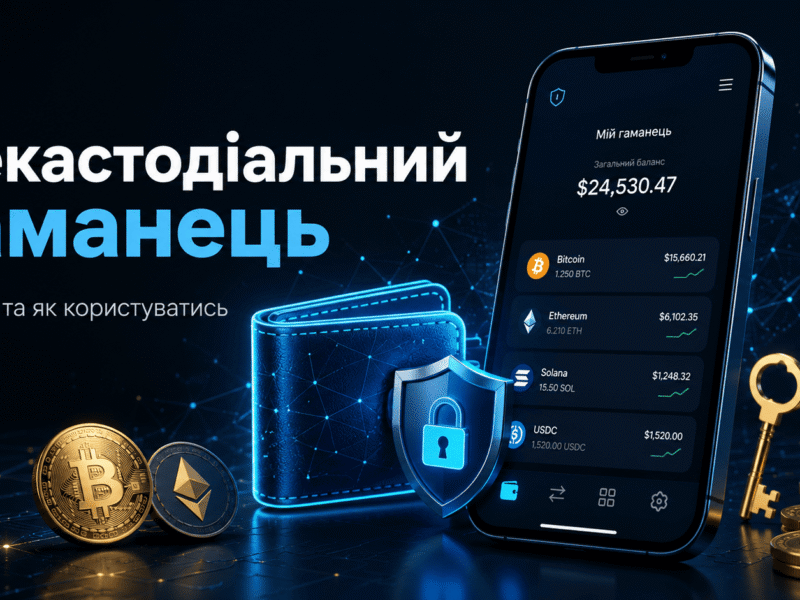
A non-custodial wallet is a cryptocurrency wallet in which the user independently controls the private keys and access to their digital assets. An exchange, application developer, or another intermediary does not store the keys on behalf of the owner and cannot independently restore access to the funds.
This format provides greater independence, but it also places full responsibility on the user. If both the recovery phrase and access to the installed wallet are lost, customer support will not be able to reset the password or return the cryptocurrency.
In this article, we explain how non-custodial storage works, how it differs from an account on a cryptocurrency exchange, how to create a wallet, receive your first transfer, and avoid losing assets because of an incorrect network or phishing website.
This material is provided for informational purposes only and does not constitute financial or investment advice.
Quick Answer
- In a non-custodial wallet, the user controls the private keys rather than an exchange or financial service.
- Access is usually restored using a seed phrase, also known as a recovery phrase or Secret Recovery Phrase.
- Examples of non-custodial wallets include MetaMask, Trust Wallet, Phantom, Rabby, Exodus, Trustee Wallet, TON Space, Ledger, and Trezor.
- Cryptocurrency is stored on the blockchain. The wallet stores the keys that allow the owner to sign transactions.
- The most dangerous mistakes include sharing a seed phrase with another person, installing a fake application, and sending tokens through the wrong network.
- For the first transfer, it is safer to use a small test amount and send the remaining funds only after confirming that it has arrived.
What Is a Non-Custodial Wallet in Simple Terms?
The word “custodial” comes from the English term custody, meaning the safekeeping or responsible management of property. A non-custodial wallet, therefore, does not transfer control over cryptocurrency to an external custodian.
When a user stores USDT, Bitcoin, or Ethereum on a centralized exchange, the platform controls the private keys. The user can see the balance in their account, but they must submit a withdrawal request to the exchange to move the assets. The platform may technically suspend the transaction, impose a limit, or request additional verification.
The non-custodial model works differently. The user signs the transaction with a private key, after which it is submitted to the blockchain. The wallet developer does not approve the transfer and does not hold the assets in its own account.
The common phrase “cryptocurrency is stored in a wallet” is technically inaccurate. Coins and tokens exist as records on a blockchain. The application only displays the address balance and provides an interface for managing the keys.
How to Determine Whether a Wallet Is Truly Non-Custodial
The word wallet in a product name does not guarantee anything. A Telegram bot or mobile application may call itself a wallet even though a company actually stores the private keys.
Before depositing funds, check the following characteristics:
- when creating the wallet, the user receives a recovery phrase, private key, or another independent method of restoring access;
- the documentation explicitly states that the service does not control private keys;
- an ordinary transfer does not require approval from an administrator;
- the wallet can be restored in a compatible application even if the original developer stops operating;
- customer support cannot reset the recovery phrase.
Some modern wallets use passkeys, distributed key storage, MPC, or smart contracts instead of a traditional 12-word phrase. Therefore, the absence of a visible seed phrase does not always mean that the wallet is custodial. The important question is whether the company can independently sign a transaction or block access to the key.
How a Non-Custodial Cryptocurrency Wallet Works
When a wallet is created, the software generates cryptographic data that makes it possible to control blockchain addresses. The user does not need to perform calculations manually: the application generates the keys, displays the address, and signs transactions within a protected environment.
Private Key
A private key is a secret string of characters that proves the right to control a specific blockchain address. The wallet uses it to create a digital signature for a transaction.
A private key must not be sent to a manager, entered into a customer support form, or posted in a chat. Anyone who obtains the key can sign a transfer without any additional confirmation from the owner.
Public Address
A public address is used to receive cryptocurrency. It can be shared with another person, published on a website, or entered into a withdrawal form on an exchange.
An address can be compared to a bank account number, but with one important difference: most public blockchains allow anyone to view the address balance and transaction history through a blockchain explorer.
Seed Phrase or Recovery Phrase
A seed phrase is a sequence of words from which the wallet generates private keys and addresses. The user most commonly receives 12 or 24 words, although the exact format depends on the application and backup standard.
The recovery phrase is not intended for everyday login. It is used to regain access after losing a phone, damaging a computer, or deleting the application. The owner enters the words in the correct order in a compatible wallet and regains control over the addresses.
The seed phrase is more important than the application password. The password usually protects the installed copy of the wallet on a particular device. The recovery phrase provides access to the entire wallet from another device.
Signing a Transaction
When a user sends cryptocurrency, the wallet creates a transaction containing the amount, recipient address, network, and fee. The private key then creates a digital signature. The blockchain verifies the signature without revealing the key itself.
After confirmation, the network adds the transaction to the blockchain. In most cases, it can no longer be reversed, so the address and network must be checked before pressing the confirmation button.
Custodial vs Non-Custodial Wallets: What Is the Difference?
| Criterion | Non-Custodial Wallet | Custodial Service |
|---|---|---|
| Who controls the private keys? | The user | The exchange, platform, or operator |
| Access recovery | Through a seed phrase, private key, passkey, or another self-recovery mechanism | Through email, phone, identity documents, and customer support |
| Can the service stop a withdrawal? | The developer of a standard wallet does not approve user transfers | The platform may stop a transaction under its rules |
| KYC | Usually not required to create a basic wallet | Identity verification is often required |
| Responsibility for the keys | Fully belongs to the user | Partially belongs to the service operator |
| Access to DeFi and DApps | Usually direct | Depends on the platform’s features |
| Risk of loss due to operator bankruptcy | Lower if the owner retains the keys and backup | Higher because the assets are controlled by a counterparty |
| Risk of user error | High: an incorrect transfer or lost phrase may be irreversible | Some problems may occasionally be resolved through customer support |
A custodial format is not necessarily bad. An exchange account is convenient for active trading, swapping assets, and purchasing cryptocurrency with fiat money. However, keeping all capital on one centralized platform means accepting its technical, legal, and financial risks.
A practical approach often looks like this: a limited amount remains on the exchange for current transactions, while assets intended for long-term storage are transferred to a personal wallet.
Types of Non-Custodial Wallets
Mobile Wallets
These are applications for Android and iOS. They are suitable for transfers, token swaps, connecting to Web3 services, and checking balances on a daily basis.
The mobile format is convenient, but its security depends on the phone itself. A malicious application, weak PIN code, or another person gaining access to an unlocked device creates a genuine risk.
Browser Extensions
These wallets are installed in Chrome, Firefox, and other browsers. They are frequently used with decentralized exchanges, NFT marketplaces, lending protocols, and blockchain games.
The main problem is phishing. A fake page may ask the user to sign a dangerous permission, so the details of every transaction should be reviewed before confirmation.
Desktop Wallets
A desktop wallet is installed on a computer and often supports a large number of assets. This is convenient for portfolio management, but it does not automatically make the storage cold: the private keys remain on a device connected to the internet.
Hardware Wallets
A hardware wallet stores keys on a separate physical device. The transaction is created on a computer or phone, but final confirmation takes place on the hardware device itself.
This format reduces the risk of a virus stealing the key from a computer. The owner must still protect the recovery phrase: losing the device is not a serious problem if the backup has been preserved, while exposure of the phrase gives an attacker access to the assets.
Smart Contract and Multisignature Wallets
In a smart contract wallet, the rules for controlling assets are recorded on the blockchain. For example, a transfer may require approval from two participants, a daily spending limit, or confirmation from an additional device.
These solutions are used by teams, cryptocurrency projects, and owners of large portfolios. They reduce dependence on a single key but introduce additional fees and technical complexity.
Examples of Popular Non-Custodial Wallets
Users searching for “non-custodial wallet examples” often expect to find one universal application for every blockchain. In practice, the best choice depends on the assets, networks, and intended use.
| Wallet | Format | Suitable Uses | What to Consider |
|---|---|---|---|
| MetaMask | Browser extension and mobile application | Web3, Ethereum and compatible networks, and connecting to DeFi | Smart contract permissions must be reviewed carefully before signing |
| Trust Wallet | Mobile application and browser extension | Storing different cryptocurrencies, transfers, swaps, and access to DApps | Its popularity has led to many fake websites and applications |
| Rabby Wallet | Browser extension and desktop application | Working with EVM networks and DeFi protocols | Best suited to users who already understand networks and token permissions |
| Phantom | Mobile application and browser extension | Solana, Web3 applications, tokens, and NFTs on supported networks | The active network should be checked before copying an address |
| Exodus | Mobile and desktop wallet | Managing a multi-asset portfolio through an accessible interface | The built-in exchange may cost more than using a separate exchange or DEX |
| Trustee Wallet | Mobile application | Transfers, swaps, and assets commonly used by Ukrainians | The conditions of third-party purchase and exchange providers may differ from the wallet’s own functions |
| TON Space | The non-custodial part of the Telegram Wallet ecosystem | Working with TON, tokens, and applications in The Open Network ecosystem | TON Space should not be confused with the custodial balance inside Wallet |
| Ledger or Trezor | Hardware wallet | Storing significant amounts and confirming transactions on a separate device | The device should be purchased from the official store or a trusted seller |
A mobile wallet is often sufficient for everyday transfers. An active DeFi user may find a browser extension more convenient, while a hardware device is worth considering for long-term storage.
Solutions built into messaging applications form a separate category. The ZIND article about cryptocurrency wallets in Telegram compares custodial bots with products that give users independent control over their keys. A separate guide to creating a TON wallet in Telegram is also available for users of the TON ecosystem.
How to Choose a Non-Custodial Wallet
Check Support for the Required Network
The token name does not determine the transfer network. For example, USDT exists on several blockchains. The wallet must support the exact network through which you plan to receive and send the token.
A network should not be selected solely because of its low fee. First check whether it is supported by the recipient’s wallet, the exchange, and the service where the token will be used later.
Download the Software Only from an Official Source
A search advertisement may lead to a copy of a well-known website. It is safer to verify the domain manually, open the application store through the official website, and check the developer’s name.
After installation, it is useful to bookmark the official website. This is safer than searching for it through Google every time and risking a click on a sponsored phishing result.
Understand How Recovery Works
Before depositing funds, determine what will restore access after the phone is lost. This may be a seed phrase, private key, passkey, encrypted cloud backup, or a system in which the key is divided into several parts.
An unclear recovery mechanism is a reason to postpone the transfer. Read the documentation first and confirm that the wallet can be restored without the company’s involvement.
Check Hardware Wallet Integration
Using DeFi does not necessarily require storing keys directly in a browser. Some software wallets allow users to connect Ledger or Trezor, after which each important transaction must be physically confirmed on the device.
Evaluate the Transaction Interface
The wallet should clearly display the address, network, fee, and smart contract action. An attractive design is less important than the ability to understand exactly what permission a website is requesting.
How to Create a Non-Custodial Wallet: Step-by-Step Guide
Choose a wallet for the required network. MetaMask or Rabby may be considered for Ethereum and compatible networks, Phantom is commonly used for Solana, while Trust Wallet, Exodus, or Trustee Wallet may suit multi-asset mobile storage.
Open the official website. Check the spelling of the domain, the SSL connection, and links to the App Store, Google Play, or the official browser extension store.
Select “Create a new wallet.” Do not import a phrase sent to you by another person. A wallet created from someone else’s seed phrase is already controlled by anyone who knows those words.
Set a local password. Use a unique combination that is not used for email, social media, or a cryptocurrency exchange.
Write down the recovery phrase. Store the words in the correct order on paper or another offline medium. Do not take a screenshot or copy the phrase into a messaging application.
Complete the backup check. Most applications ask the user to select several words or enter them in the correct order.
Find the address for the required network. Before making the first transfer, confirm that both the asset and the network are supported by the wallet.
Send a test amount. Check the balance after it arrives and only then transfer the main amount.
An empty wallet should be tested first. Try receiving a small amount, sending part of it back, and locating both transactions in a blockchain explorer. This is cheaper than learning the interface after transferring a significant balance.
How to Receive Cryptocurrency in a Non-Custodial Wallet
- Open the required token or coin.
- Select Receive, Deposit, or the corresponding receiving option.
- Check the name of the active network.
- Copy the address or show the sender the QR code.
- Compare the first and last characters of the address after pasting it.
- On the exchange, select the same withdrawal network.
- Send a small test amount first.
A detailed procedure is provided in the article explaining how to transfer cryptocurrency from an exchange to a wallet. It separately covers network selection, TxID verification, and common withdrawal problems.
Why It Is Important to Check the USDT Network
USDT operates on Ethereum, Tron, BNB Smart Chain, Solana, and other blockchains. An identical token name does not mean that the addresses and infrastructure are compatible.
If an exchange sends USDT through Tron, the wallet must support USDT on the TRON network. Selecting Ethereum on the recipient’s side does not convert TRC-20 into ERC-20.
Before making a purchase, it is also worth deciding which stablecoin you need. The USDC vs USDT comparison explains the differences between issuers, networks, and use cases.
How to Fund a Wallet with Ukrainian Hryvnia
A blockchain wallet does not accept Ukrainian hryvnia in the same way as a bank account. Purchasing cryptocurrency requires a fiat provider, cryptocurrency exchange, P2P platform, or exchange service.
Beginners may find the ZIND guides explaining how to buy USDT with Ukrainian hryvnia and how to fund a cryptocurrency wallet with a bank card useful.
A third-party provider integrated into the wallet may require KYC even when the non-custodial wallet itself can be created without identity documents. These are separate services: one stores keys, while the other sells cryptocurrency for fiat money.
How to Send Cryptocurrency from a Non-Custodial Wallet
- Select the asset and press Send.
- Paste the recipient’s address.
- Check the network and address format.
- Enter the amount.
- Review the network fee.
- Make sure the wallet contains the native coin required to pay the gas fee.
- Review all details again and confirm the transaction.
Sending a token often requires another coin. For example, the fee for transferring an ERC-20 token is paid in ETH, on BNB Smart Chain it is paid in BNB, and on Solana it is paid in SOL. A large USDT balance will not help if the address does not contain the native coin required to pay gas.
After sending, the wallet displays the TxID or transaction hash. This identifier can be used to check the transaction status in a blockchain explorer.
A Pending status means the transaction is still waiting for confirmation. Success indicates that it has been completed at the network level, while Failed indicates an execution error. Even if a transaction fails, part of the network fee may still be charged.
How to Connect a Non-Custodial Wallet to DeFi and DApps
A non-custodial wallet is not limited to storage. It can be connected to a decentralized exchange, lending protocol, NFT marketplace, or staking application.
The connection usually takes place through the Connect Wallet button. The website can see the public address but does not receive the seed phrase or private key.
You do not need to enter a recovery phrase to connect to a DApp. A website asking for 12 or 24 words for “synchronization,” “verification,” or “unlocking” is attempting to obtain complete control over the wallet.
How a Message Signature Differs from a Transaction
A standard message signature can confirm that the user controls an address. It does not necessarily move assets. However, some complex signatures may create permissions, so confirming unclear text is still dangerous.
A transaction changes the blockchain state: it transfers tokens, activates a swap, adds liquidity, or grants a smart contract permission to manage an asset.
What Is Token Approval?
Before exchanging a token, a decentralized service may request permission to use it. Without such approval, the smart contract cannot deduct the token to perform the transaction.
A problem arises when the user grants unlimited permission to a suspicious contract. Even after disconnecting the website, the right to spend the tokens may remain on the blockchain. Unnecessary permissions should be revoked periodically through a trusted tool or the wallet’s own feature.
Before completing the first transaction, it is worth reading ZIND’s separate guide to DeFi in Ukraine. Users interested in delegating coins and earning network rewards can also read the explanation of what staking is and how it works.
How to Use a Non-Custodial Wallet Safely
1. Store the Seed Phrase Offline
Do not photograph the words or store them in phone notes, email, Telegram, or Google Drive. A cloud account can be hacked remotely, while a paper or metal copy is not connected to the internet.
For a significant amount, it may be reasonable to prepare two physical copies and store them in different secure locations. At the same time, creating more copies increases the number of potential access points, so they should not be left in random places.
2. Separate Wallets by Purpose
You do not need to use one address for everything. One wallet can be reserved for savings, another for DeFi, and a third for experimenting with new websites and NFTs.
This separation does not stop phishing by itself, but it limits potential damage. A malicious smart contract connected to one address will not gain access to assets stored at another address.
3. Check the Domain Before Connecting
Fraudsters register addresses that differ from an official domain by a single letter. They copy the original website design, add a Connect Wallet button, and encourage users to sign a malicious transaction.
Open DeFi services through your own bookmarks or trusted directories rather than links received in private messages.
4. Read What You Are Signing
Words such as Claim, Verify, Mint, or Connect on a button do not determine the actual action. The wallet window displays the important information: contract address, asset, amount, network, and requested permission.
If the interface does not explain the transaction or displays an unclear unlimited approval, it is safer not to sign it.
5. Use a Hardware Wallet for a Large Balance
The amount considered large depends on the owner’s financial situation. The guideline is straightforward: if losing the assets would seriously affect the budget, storing the key only in a browser is risky.
A hardware wallet does not protect against every mistake. The user may still approve a dangerous smart contract, but it is much harder for malware to steal the private key without detection.
6. Update the Operating System and Application
Install updates from official sources, use screen locking, and do not grant unknown applications access to the screen, clipboard, or Android accessibility features.
Malware may replace a copied cryptocurrency address with an attacker’s address. For this reason, at least the first and last characters should be checked before confirmation.
7. Do Not Trust “Support” in Private Messages
A legitimate wallet employee does not need a private key or seed phrase. A public address or TxID is sufficient to check a transaction.
Messages referring to a “synchronization error,” “manual verification,” or “wallet activation using a seed phrase” should be treated as an attempted theft.
What to Do If Access to the Wallet Is Lost
The Phone Is Lost, but the Seed Phrase Is Available
Install the official wallet on a new device and select the option to restore an existing wallet. Enter the words in the correct order. After restoration, check the addresses and transaction history.
If another person may have been able to unlock the old phone, it is safer to create a new seed phrase and transfer the assets to new addresses.
The Seed Phrase Is Lost, but the Application Still Opens
Do not delete the application or reset the device. Create a new wallet with a new recovery phrase and transfer all assets to it.
Some applications allow users to view the phrase after entering a password or completing biometric confirmation. However, relying exclusively on this option is dangerous: the device may fail before the user creates a backup.
Another Person Has Seen the Seed Phrase
The wallet can no longer be considered secure. Changing the application password will not help because the phrase allows the keys to be restored on another device.
Create a new wallet with a new phrase and move the assets as quickly as possible. The old address should no longer be used for storage.
Cryptocurrency Was Sent Through the Wrong Network
The outcome depends on the address, blockchain, and who controls the keys. If the same seed phrase can open the corresponding address on the required network, it may be possible to add the tokens manually or recover them through a compatible wallet.
If the funds were sent to an exchange deposit address through an unsupported network, only the exchange may be able to help. It is not required to perform a manual recovery and may charge a fee for doing so.
The Wallet Shows a Zero Balance After Recovery
First, check whether all words were entered correctly and whether the correct seed phrase was used. One person may have several different backups.
Next, add the required network and token manually. If the restored address differs from the original address, the reason may be a different phrase, passphrase, or address derivation path.
Advantages and Disadvantages of a Non-Custodial Wallet
| Advantages | Disadvantages and Risks |
|---|---|
| Direct control over private keys | The owner is responsible for the backup |
| Independence from the withdrawal rules of a particular exchange | An incorrect transaction usually cannot be reversed |
| Access to DeFi, DApps, NFTs, and on-chain staking | Phishing and malicious smart contracts can result in a loss of funds |
| Ability to restore access in a compatible application | Customer support cannot recover a lost seed phrase |
| Account registration is usually not required for basic functions | Purchasing with Ukrainian hryvnia through a third-party provider may require KYC |
| Assets can be divided between different addresses and devices | The user must independently manage networks, gas, and token permissions |
The main advantage of a non-custodial wallet is also its main disadvantage: nobody can take control away from the owner, but nobody can correct the owner’s critical mistake.
What Ukrainian Users Should Consider
Creating a standard non-custodial wallet is usually not tied to the user’s country of residence. Generating an address does not require a Ukrainian passport, bank account, or phone number.
Restrictions may appear at other stages:
- purchasing cryptocurrency with a Ukrainian bank card;
- completing KYC with a fiat provider or exchange;
- selling cryptocurrency for Ukrainian hryvnia;
- using services that restrict access based on jurisdiction;
- confirming the source of funds during significant transactions.
A non-custodial wallet does not make transactions invisible. A public blockchain allows anyone to view an address, its balance, and asset movements. If the address has been linked to a verified exchange account, its transactions may potentially be associated with a specific user.
Self-custody also does not eliminate possible tax and reporting obligations. It is worth keeping records of the TxID, date, amount, exchange rate, and purpose of major transactions. Digital asset regulations may change, so significant amounts may require advice from a qualified tax professional.
Common Beginner Mistakes
Storing the Seed Phrase in Photos
A screenshot may be uploaded automatically to cloud storage. Access to a single Google or Apple account could then expose the entire cryptocurrency portfolio.
Confusing the Password with the Recovery Phrase
The password unlocks the application on a particular device. It does not replace the seed phrase and will not help after the data has been completely deleted.
Sending the Entire Amount in One Transaction
One incorrect character, the wrong network, or infected clipboard software may result in the loss of the entire transfer. A test transaction does not eliminate the risk completely, but it helps confirm that the route is correct.
Not Keeping a Native Coin for Fees
A user may receive USDT but be unable to send it without ETH, TRX, BNB, SOL, or another native coin of the relevant network.
Entering the Seed Phrase on a Website
The phrase is used inside the official wallet application to restore access. A DEX, airdrop website, customer support service, or blockchain explorer should never request it.
Assuming That Disconnecting a Website Cancels Permissions
The Disconnect button removes the active interface connection to the address, but it does not always revoke an existing token approval. Permissions recorded on the blockchain must be reviewed separately.
Keeping Savings in an Experimental Address
A wallet that regularly connects to new NFT projects, airdrops, and unknown DApps carries greater risk. Core assets are better stored at an address that rarely interacts with third-party contracts.
Frequently Asked Questions
What Does a Non-Custodial Wallet Mean?
It is a cryptocurrency wallet in which the user independently controls the private keys. The application developer does not hold the assets on behalf of the owner and cannot independently sign a transfer.
What Are Some Examples of Non-Custodial Wallets?
Popular examples include MetaMask, Trust Wallet, Phantom, Rabby, Exodus, Trustee Wallet, and TON Space. Hardware wallets such as Ledger and Trezor are also non-custodial solutions.
Which Non-Custodial Wallet Is Best?
There is no single best option. MetaMask and Rabby are frequently used for EVM networks and DeFi, Phantom is commonly used for Solana and supported networks, while Trust Wallet and Exodus are suitable for multi-asset mobile storage. A hardware wallet is worth considering for significant amounts.
Is KYC Required to Create a Non-Custodial Wallet?
KYC is usually not required to create a basic blockchain address. However, purchasing cryptocurrency with a bank card, exchanging through a centralized provider, or withdrawing into fiat currency may require identity verification.
Does a Non-Custodial Wallet Charge a Fee?
For a standard blockchain transaction, the user pays a network fee to validators or miners. The application itself may also charge a separate fee for an integrated swap, purchase, bridge, or another additional function.
Can a Wallet Be Recovered Without the Seed Phrase?
It depends on how the wallet was created. A traditional wallet using a recovery phrase usually cannot be recovered after both the seed phrase and all authorized devices have been lost. Wallets using passkeys, MPC, or social recovery may follow a different process.
Can the Developer Block a Non-Custodial Wallet?
The developer should not be able to take the private key or sign a transaction on behalf of the user. However, the developer may stop supporting the application or restrict access to its own interface. If a backup is available, the keys can be imported into a compatible wallet.
It is also important to note that the issuer of a centralized token or a specific smart contract may have its own blocking mechanisms. This is a feature of the asset or protocol rather than the wallet itself.
Is a Non-Custodial Wallet Anonymous?
Not necessarily. A name may not be required to create an address, but transactions on a public blockchain are visible. Once an address has been linked to a verified exchange account, payment, or public profile, its activity can no longer be considered completely anonymous.
Can the Same Seed Phrase Be Used in Different Wallets?
A compatible phrase can sometimes be imported into several applications. However, every additional entry increases the risk of exposure. Before importing it, check the compatibility of standards, networks, and address derivation paths.
What Happens If the Wallet Developer Closes Down?
If the user controls the seed phrase or private keys, the addresses can be restored in another compatible wallet. The assets remain on the blockchain rather than on the application developer’s server.
Conclusion
A non-custodial wallet gives the owner direct control over cryptocurrency. Sending assets does not require approval from an exchange, while access to DeFi and other blockchain services is available without transferring the keys to an intermediary.
This control comes at a cost. The user is responsible for the recovery phrase, address verification, network selection, and the contents of every transaction. Customer support cannot reverse a transfer sent to a fraudster or generate a new seed phrase to replace a lost one.
A sensible starting point is simple: install a wallet from an official source, write down the recovery phrase offline, receive a small test amount, and try sending it back. After that, the user can move on to larger transfers, staking, or DeFi.
Disclaimer. Cryptocurrencies and smart contract transactions involve the risk of a complete loss of funds. Wallet conditions, supported networks, and recovery methods may change. Before installation, check the latest information on the official website of the selected product.

Comments